Skip to content
Plumeboard
Plumeboard icon: a white feather drawing a check mark

Plumeboard

Light as a feather.

A simple, private task board — in your browser, on any device.

Boards, cards, a planner and gentle productivity stats. Sign in to Plumeboard Cloud and reach your boards from your computer, tablet or phone. No ads, no tracking.

Free plan · any modern browser · no card needed

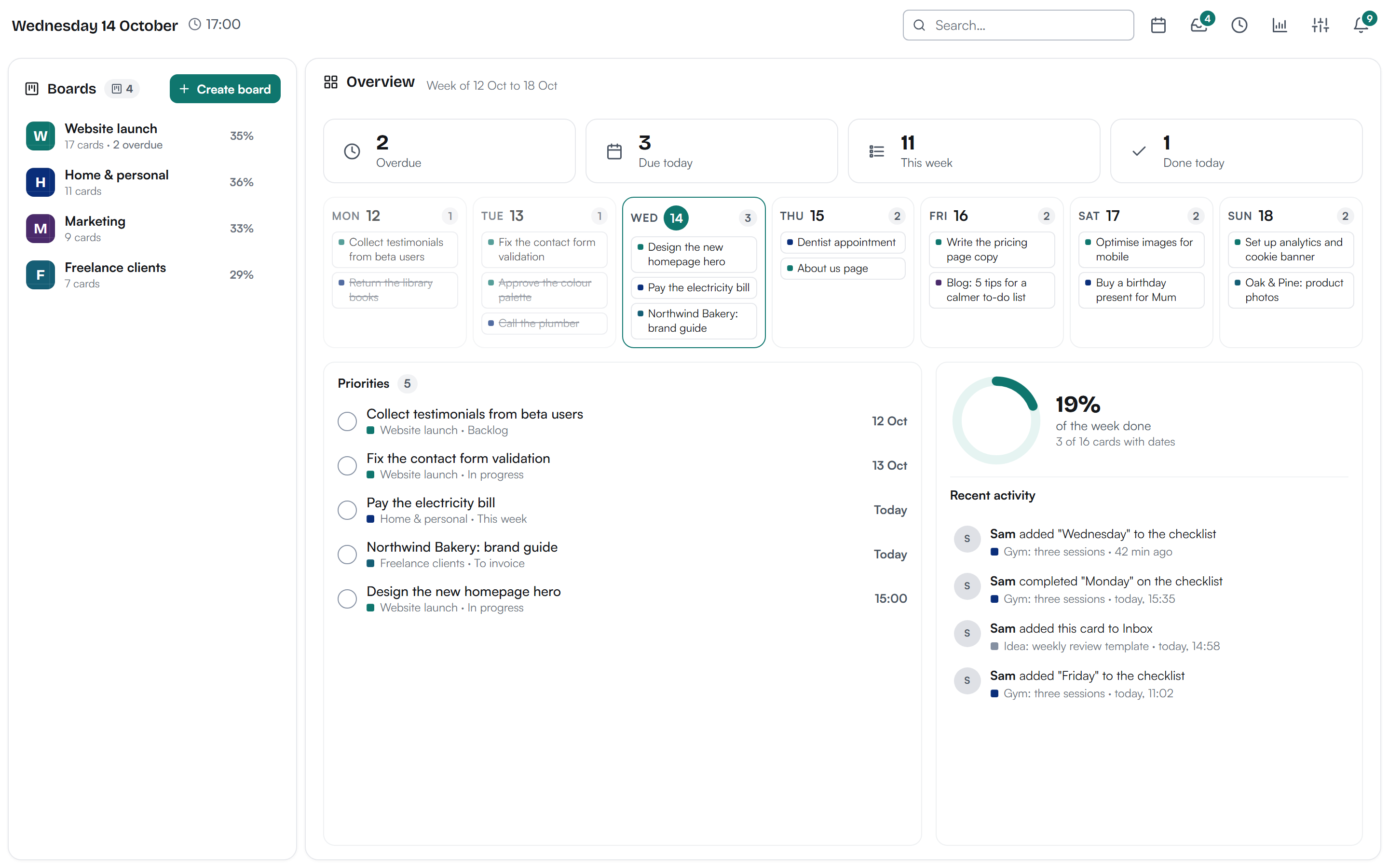
Plumeboard overview: four boards on the left, this week's due dates as a strip of days, priorities and recent activity

Plumeboard Cloud

Your boards, everywhere you are.

Plumeboard Cloud Beta

Your boards on any device. Sign in from anywhere with your email and password.

  • Free plan, or Pro for more boards and storage
  • Computer, tablet or phone
  • Stored securely in the European Union
  • Export your data or delete your account anytime

Any modern browser
Free to start. Plumeboard Pro adds connectors, the API and more room, from €2.99 a month. See pricing

What's inside

Everything a to-do list needs. Nothing it doesn't.

01

Boards & cards

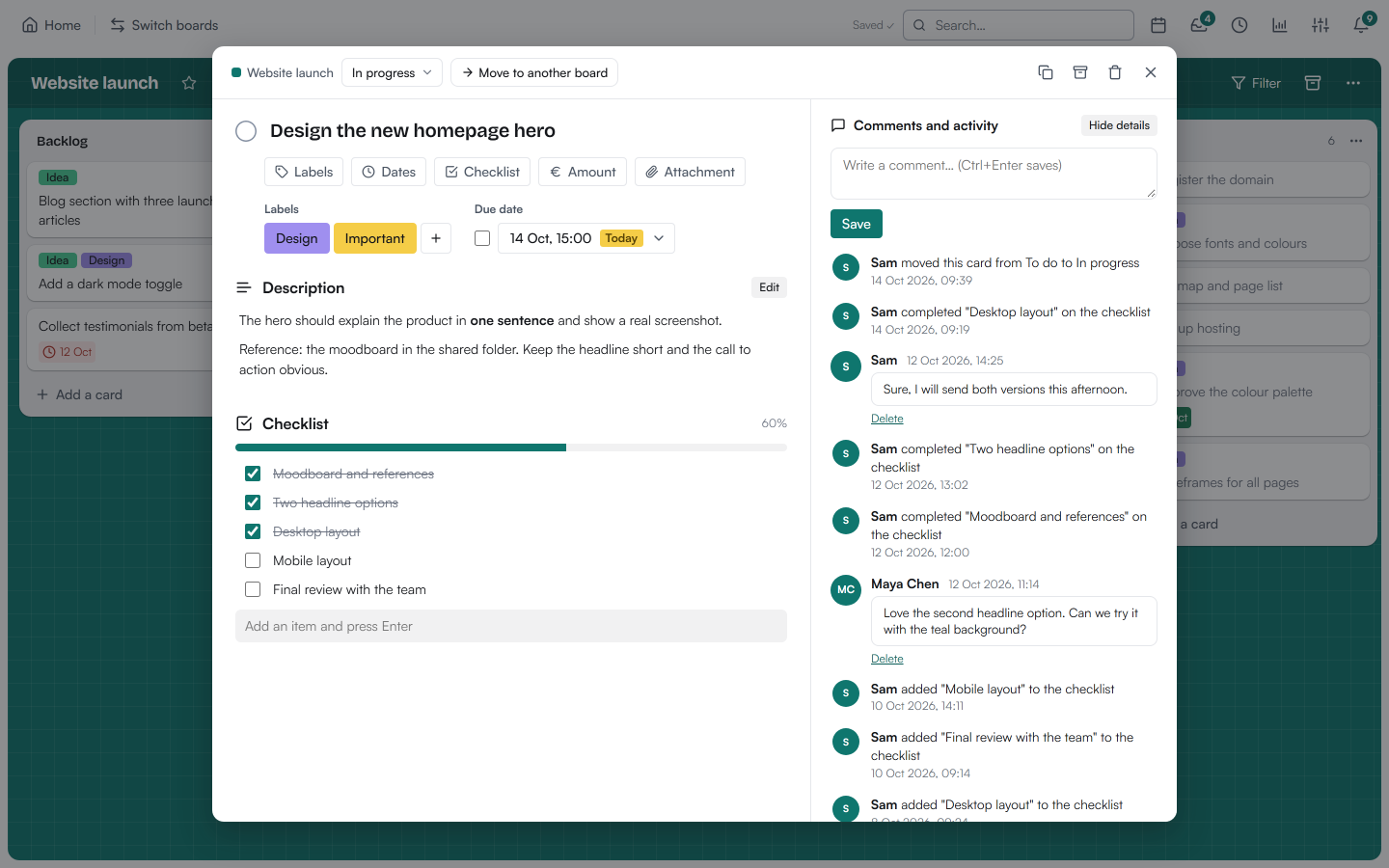
Make a board for each part of your life and drag cards between lists. Cards hold a description, labels, a checklist, due dates with a time, attachments and comments.

  • Inbox for quick ideas that don't have a home yet
  • Named labels, checklists and progress at a glance
  • Keyboard shortcuts for everything (press ?)
  • Coming from Trello? Import your boards from a JSON export
  • Works with your tools and AI: a REST API and an MCP connector for Claude and other assistants Pro
  • Connectors that work without AI: connect Google Calendar or Outlook in one click (coming soon) to see your due dates there, emails that become cards, a daily reminder email and webhooks for Zapier, Make and n8n Pro
  • Light and dark mode, or follow your system
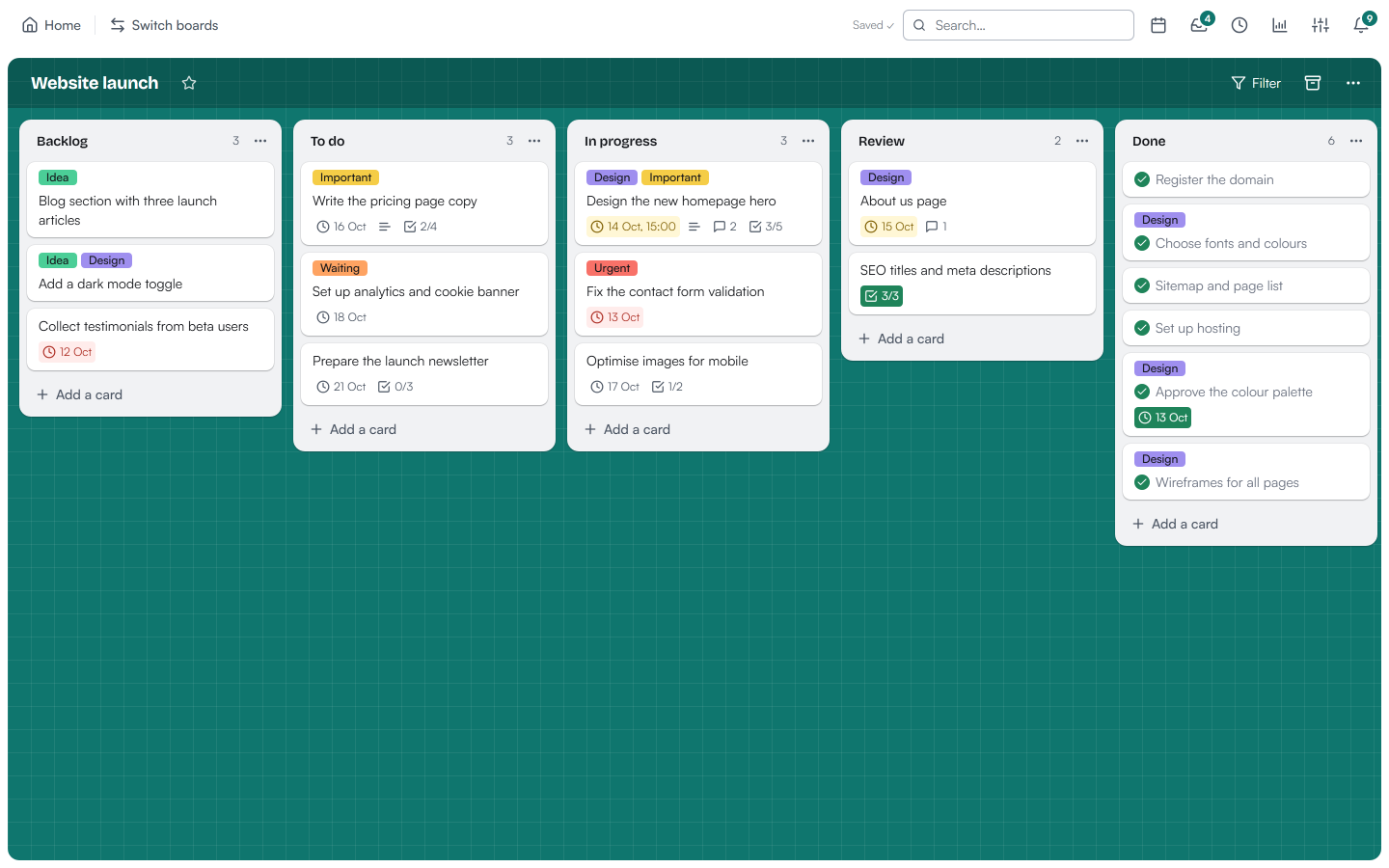
A board called Website launch with lists Backlog, To do, In progress, Review and Done
An open card with labels, a due date, a description, a checklist at 60% and comments
02

A planner that sees every board

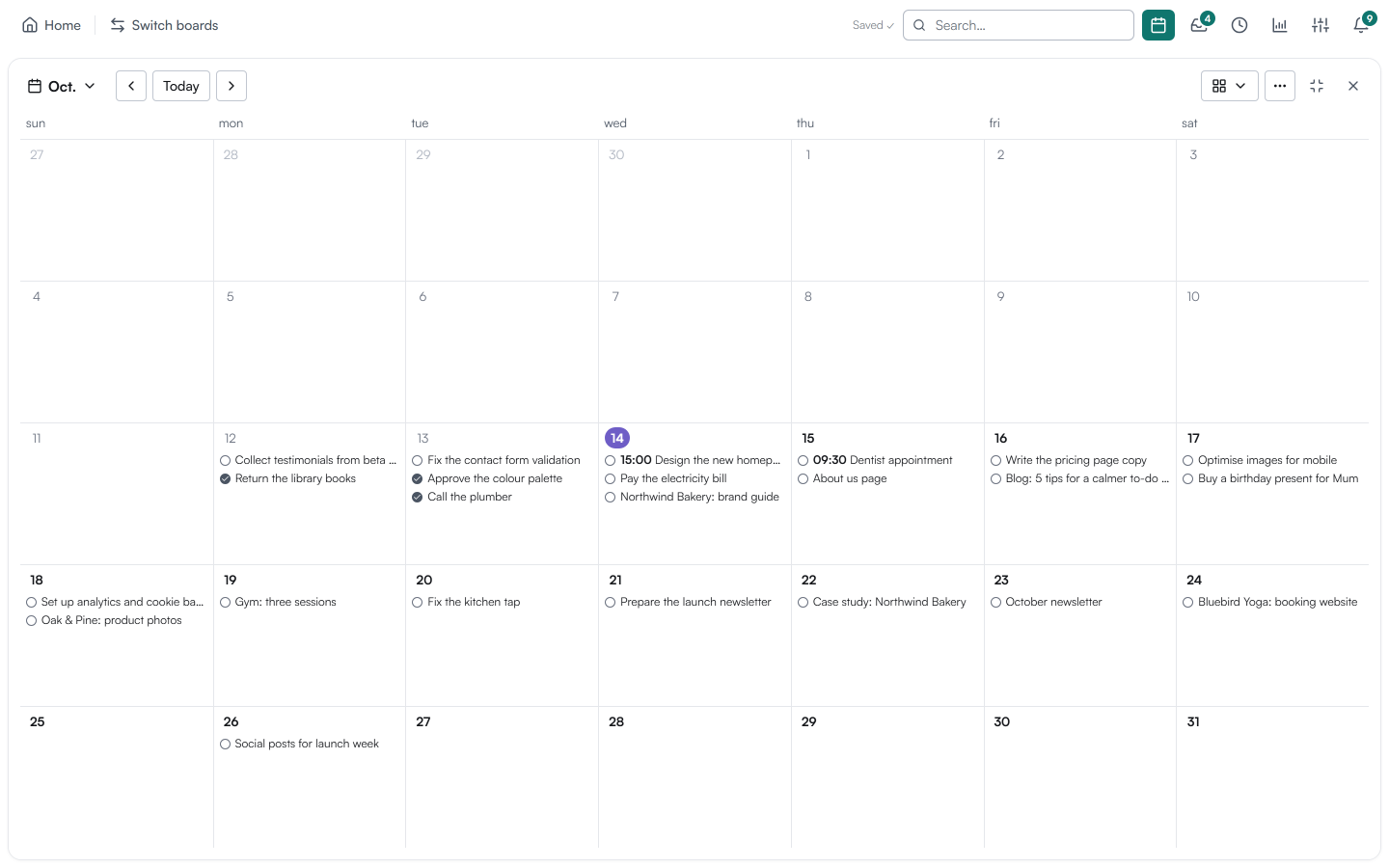
Month, week, day or agenda. Every card with a due date shows up in one calendar, so you can plan the week without opening five boards.

  • Overdue, today and tomorrow in the notifications
  • Repeating tasks: weekly, monthly, quarterly, yearly
The planner in month view, showing cards on their due dates
03

Activity & productivity

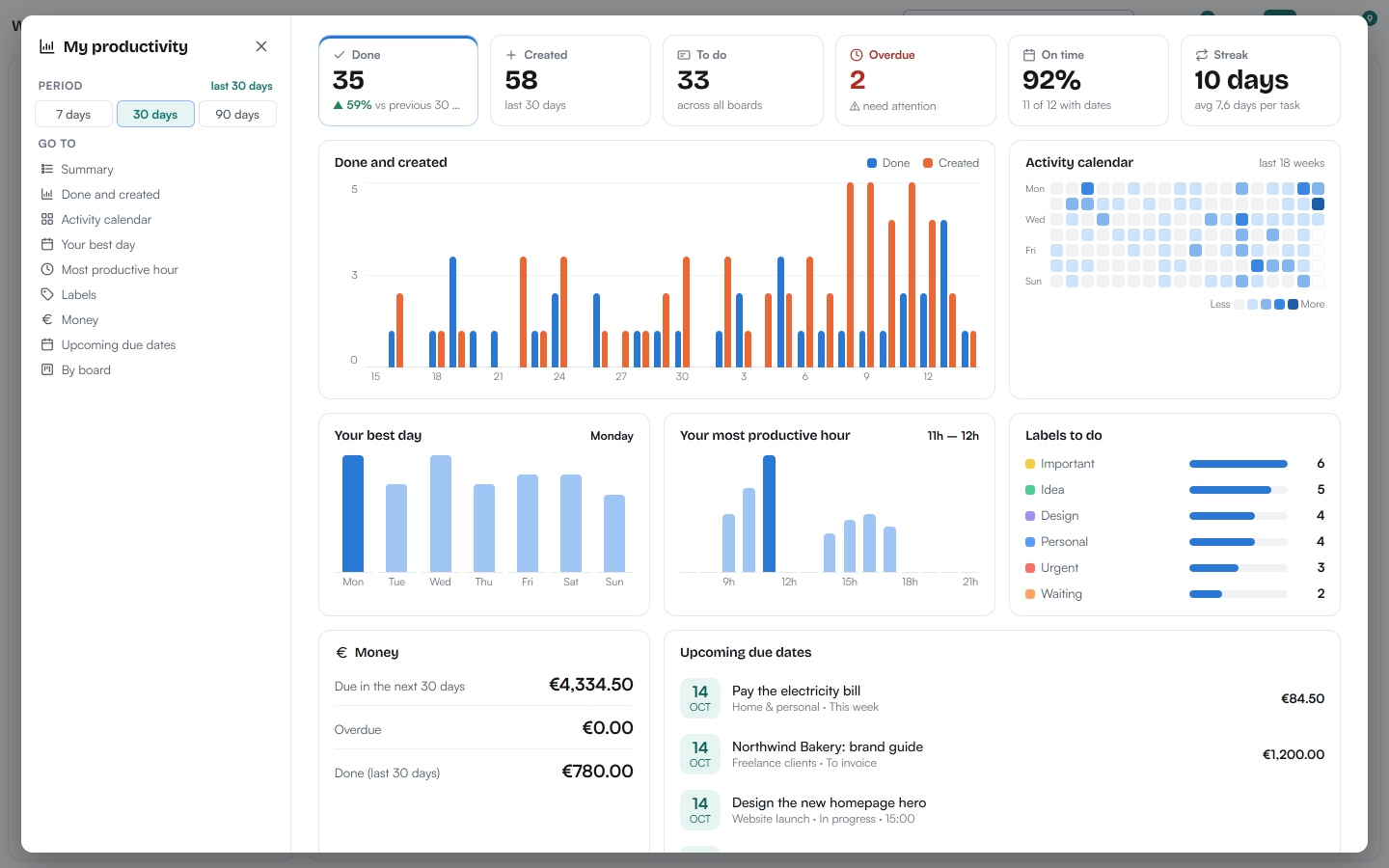
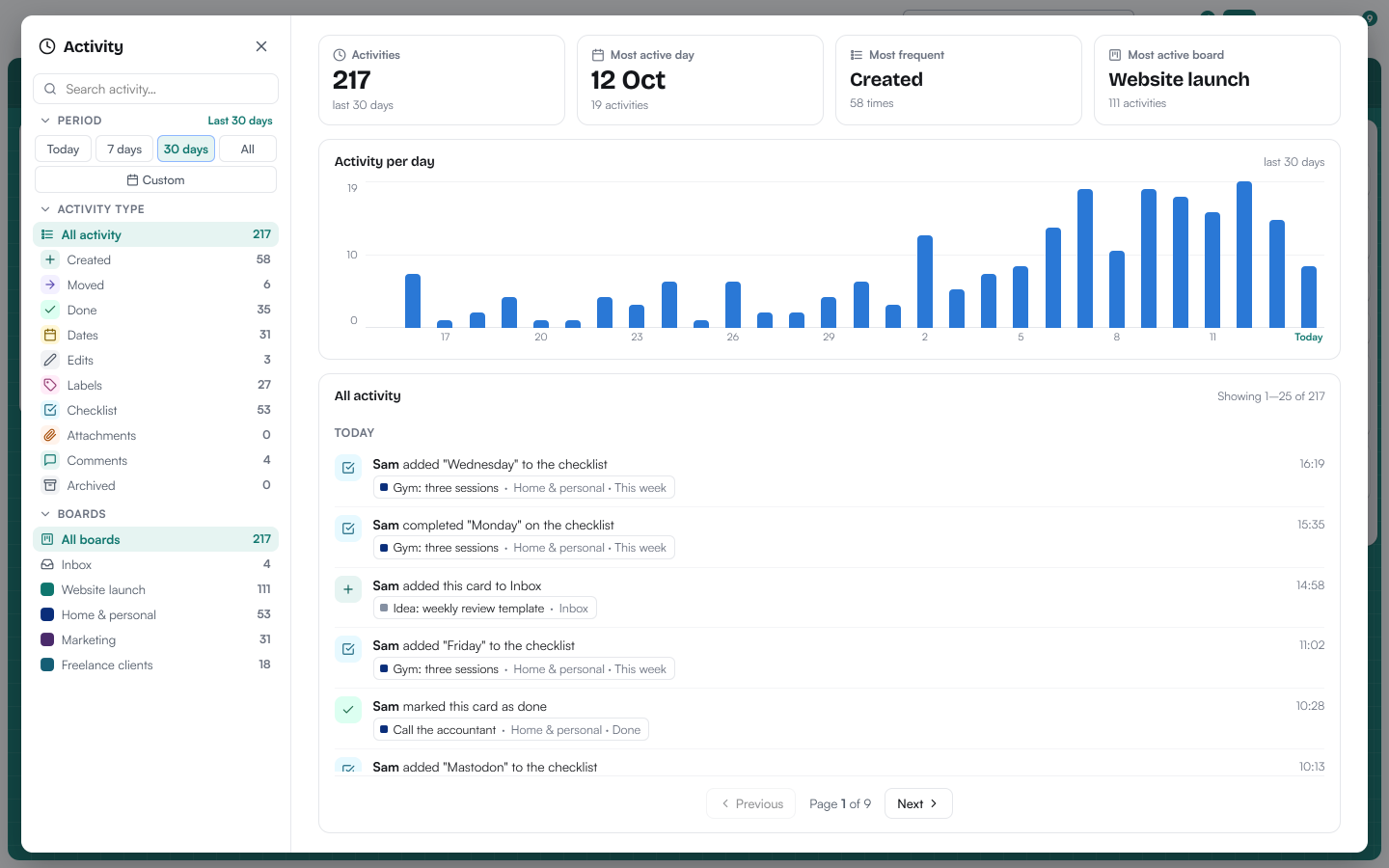
Every change is written down, so you can always see what happened and when. The productivity page turns it into a calm picture of your weeks: what you finished, your best day and your most productive hour.

  • Filter activity by period, type or board
  • 30-day trash — deleted things can come back
Productivity page with done and created per day, an activity calendar, best day and most productive hour
Activity page with a chart of activity per day and a list of recent changes
04

Four languages, your currency

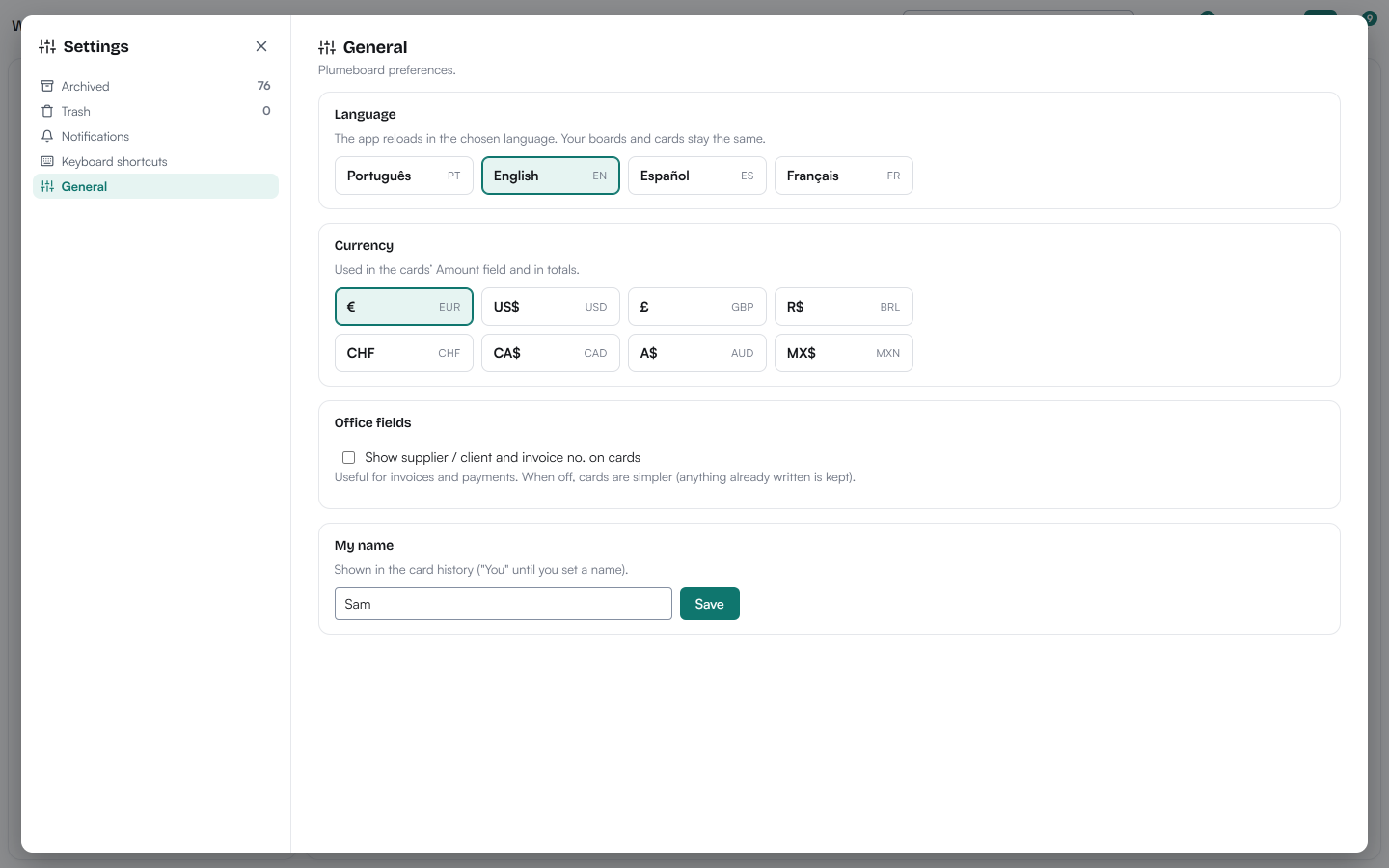
Plumeboard speaks English, Português, Español and Français. Pick the currency you work in for card amounts and totals — euro, dollar, pound, real and more.

EnglishPortuguêsEspañolFrançais

Settings, General: language and currency pickers

Private by design

Your boards are yours.

Read the privacy notice

Stored securely in the EU
Your boards are kept by our hosting provider in the European Union, over encrypted connections. They are private to you — our staff do not look at them.
Export or delete, anytime
Download a copy of your data or delete your account whenever you like.
No ads, no selling of data
No advertising cookies and no trackers. Anonymous usage statistics only if you say yes. Made in Portugal.

How it works

Up and running in a minute.

  1. Create your account

    Open Plumeboard Cloud, enter your name, email and a password, and you are in. The free plan needs no card.

  2. On any device

    Use it on a Mac, Linux or Windows computer, a tablet or a phone — your boards follow you.

  3. Requirements

    A recent version of Chrome, Edge, Firefox or Safari and an internet connection. Nothing to install.

Plumeboard Cloud updates itself — you always have the latest version. About updates